Kinetip — Making a Pen Tablet Feel Native on macOS
I run my Mac with a pen tablet instead of a mouse. The vendor driver kept getting in the way, so I wrote my own. Here's the input path from tablet to screen, and what keeping a realtime driver alive taught me.

I run my Mac with a pen tablet instead of a mouse or trackpad. All day, for everything: code, documents, windows, browsing. Not drawing. Work. A pen is kinder to my hand, and once absolute positioning rewires your brain, a mouse feels clumsy.
The problem is that macOS never really wanted me to work this way. The vendor driver buries everything in per-model jargon, scrolling is an afterthought, the pointer fights you when it’s near a button, and it can quietly stop working after the machine sleeps. For a device I touch thousands of times a day, those interruptions add up.
So I wrote my own driver, Kinetip. It turns pen input into pointer movement, dragging, panning and scrolling with inertia on macOS. After months of daily use, it’s more reliable than the driver that came with the hardware.
It started as a hack
The first version wasn’t native at all. I wrote a small OpenTabletDriver plugin (hold a pen button, drag to scroll) just to see whether scrolling with a pen button was usable. It was. But it was also clear that the idea needed more than a plugin on top of a cross-platform stack.
I wanted something built around how macOS actually behaves. Kinetip is that, rewritten from scratch. The only thing I kept from the plugin was the idea that a pen can be a real pointer on a Mac.
How a pen stroke becomes a scroll
First, here’s how the system fits together, because everything later in this post comes back to it. I’ll follow a single pen stroke from the tablet to the screen.
A USB report comes off the tablet and gets decoded into a PenSample in raw device counts. A small clock model, DeviceScanClock, maps the tablet’s own scan-time counter onto the host’s monotonic clock, because the two run on unrelated bases and drift apart. The sample is pushed through the active-area transform into screen coordinates, pressure and tilt are normalized, and it becomes a PenEvent.
Then it reaches the part I care about most: a deterministic gesture reducer. It’s a plain state machine that turns a stream of PenEvents into InjectionCommands (move, down, drag, scroll, momentum). Scroll commands run through an inertia simulator on a ticker, and an event sink synthesizes real CGEvents and posts them to the window server.
One realtime thread owns that whole spine. It never allocates, never takes a lock, and never calls into accessibility or SwiftUI. Anything slow (asking the accessibility API what’s under the pen, sampling a scroll view’s position) runs on its own queue and hands back a small value snapshot the realtime thread reads when it’s ready. That one constraint is why the driver stays smooth. It’s also where the two worst bugs turned out to be.
The one thing it has to get right
If Kinetip does a single thing well, it’s context-aware scrolling with inertia.
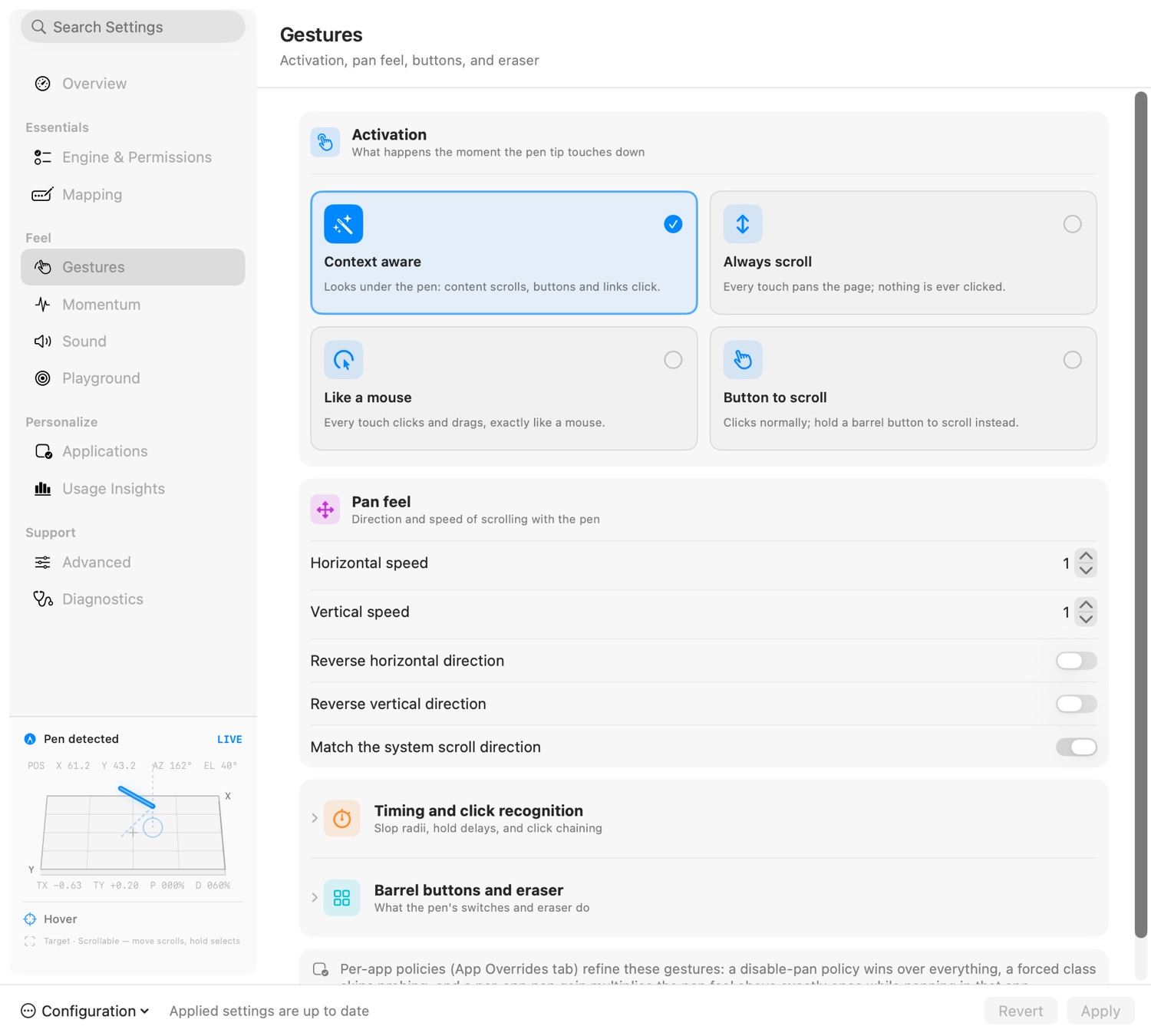
On pen-down, the off-thread prober hit-tests the point against the system-wide accessibility tree and walks up the parent chain looking for a scrollable ancestor (an AXScrollArea, an AXWebArea, a list or a table). It gets a 60 ms budget. If it can’t answer in time, the gesture falls back to plain pointer behavior instead of stalling the pen. The answer comes back as a ContextClass, and the reducer branches on it: scrollable content turns pen movement into high-resolution scrolling with a momentum flick when you let go, the same physical feel as a trackpad; a button or a slider stays a pointer and won’t drag the page out from under you.
That branch is most of what makes Kinetip feel right. You stop thinking about modes, because the tablet does the sensible thing based on where the pen is. Underneath, it still passes on everything the hardware reports: pressure, tilt, eraser and proximity are normalized and posted as real tablet events, so apps that understand a pen still see one.

What keeping it alive taught me
The bad failures never happened during normal use. They showed up at the edges: after sleep, on relaunch, or when a gesture landed on the wrong window. Each time, the real fix was to follow the realtime rule more strictly, not to add a clever patch.
The worst one was scrolling that died and stayed dead until I reloaded the config. Clicks worked and selection worked. Only scrolling was gone. It turned out the engine was making a timing decision against a clock that had quietly stopped moving, so a gate that should have opened for a fraction of a second stayed shut forever. I didn’t fix it with a special case. I made the engine rebuild its timing whenever the device goes quiet and then comes back. What stuck with me afterwards: on the realtime path, anything that can go stale eventually will, so the design has to expect it.
A second bug was hiding behind that one, and it showed why the architecture is built the way it is. Now and then a background probe hit-tested Kinetip’s own window and froze the whole engine by calling back into the UI from the wrong thread. That single freeze is the whole reason for the “realtime thread never touches the UI” rule. The fixed version gives up the moment the point is over one of Kinetip’s own windows, before making any slow call. There’s a test named after this bug so I can’t quietly reintroduce it.
The fling that fought the rubber band
Flick to the bottom of a page and macOS rubber-bands. Kinetip used to keep pushing momentum into that wall, ticking away against a page that had stopped moving. The fix runs off the realtime path. A sampler reads the scroll position at a limited rate and reports whether the content is still moving, stuck at an edge, or unknown. If it’s stuck, the coasting stops. If it’s unknown, it keeps going. When it can’t get a reading, it keeps scrolling, for the same reason as everything else here: the pen should never pay for the driver being unsure.
Inertia you can pump
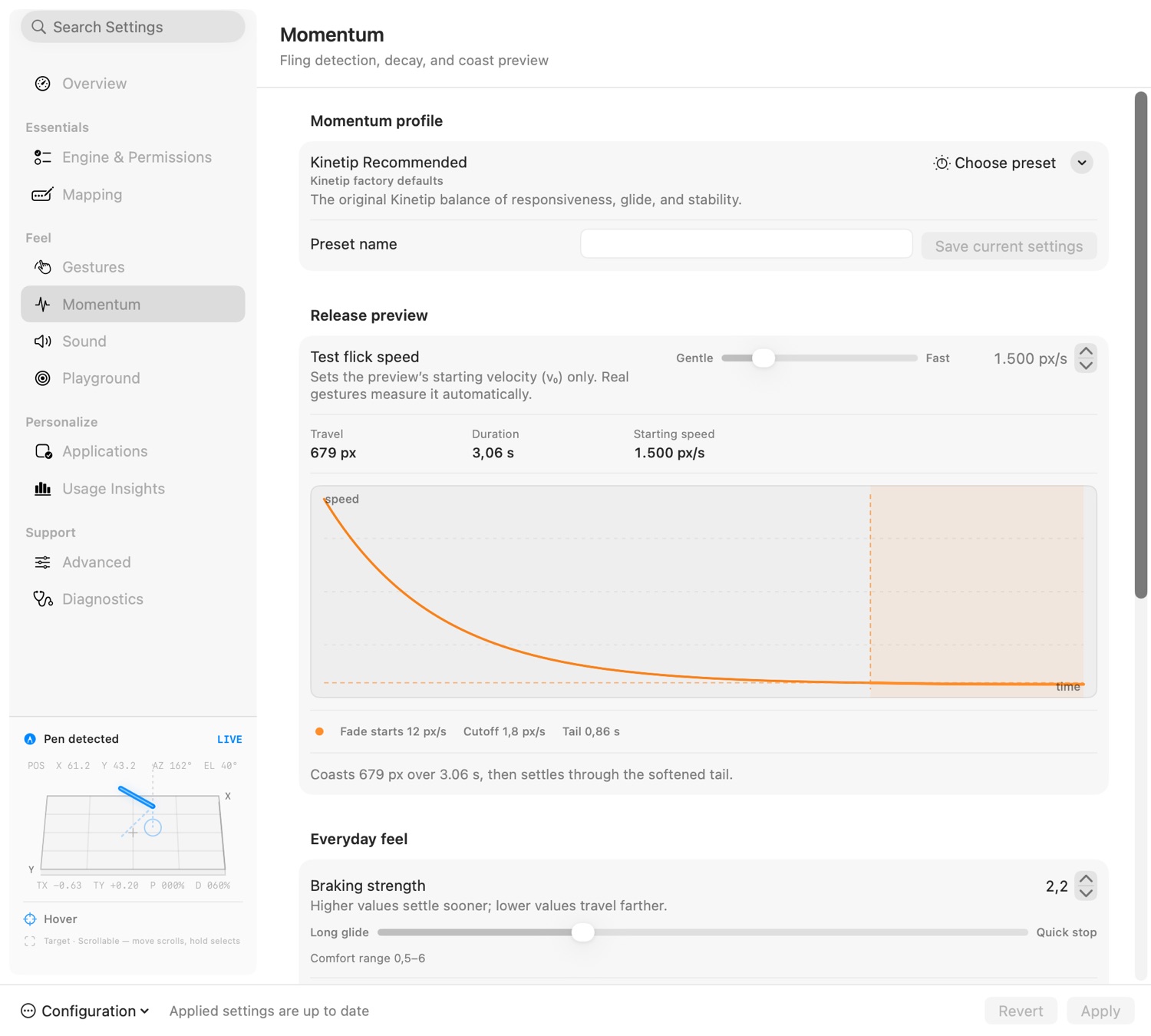
Momentum should feel like it does on a phone: flick a few times in the same direction and the scroll builds up. So the inertia model uses an exponential decay with an eased tail. A new flick in the same direction adds its speed to whatever is still coasting, up to a cap you set, and ramps in over a few frames so it never jumps. There’s optional smoothing for the first flick too, but it’s off by default. The one thing I wouldn’t give up was how crisp a direct drag feels. Adding latency to make things look smoother is a bad trade.

Features that came out of my own annoyance
I’m the main user, so the feature list is mostly a list of things that annoyed me.
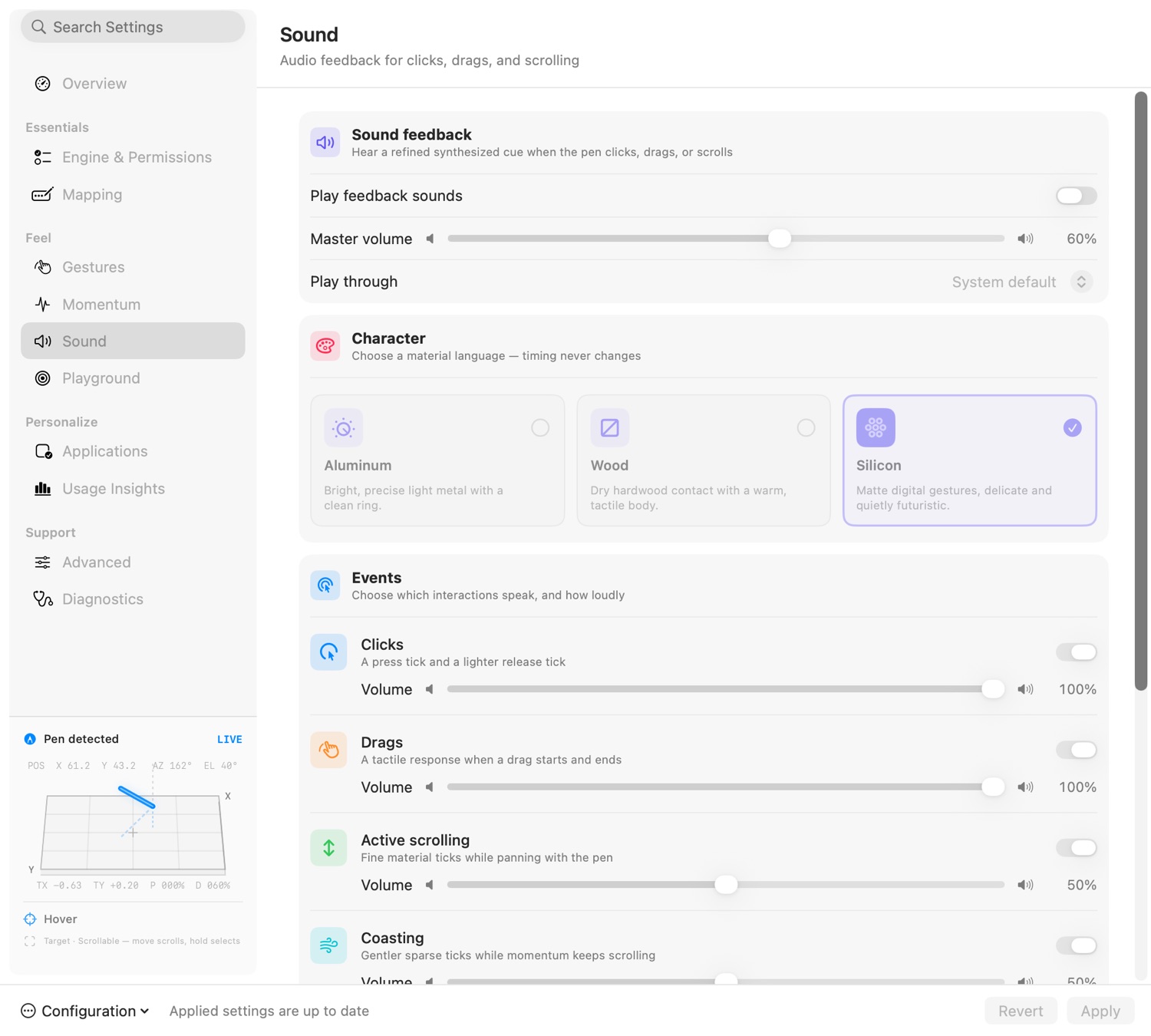
Kinetip can mute its sound feedback during calls. Rather than detecting one particular app, it watches for anything using the microphone, so my click and scroll ticks never end up in a meeting. The pen keeps working as normal and only the sounds go quiet. It’s a single toggle.
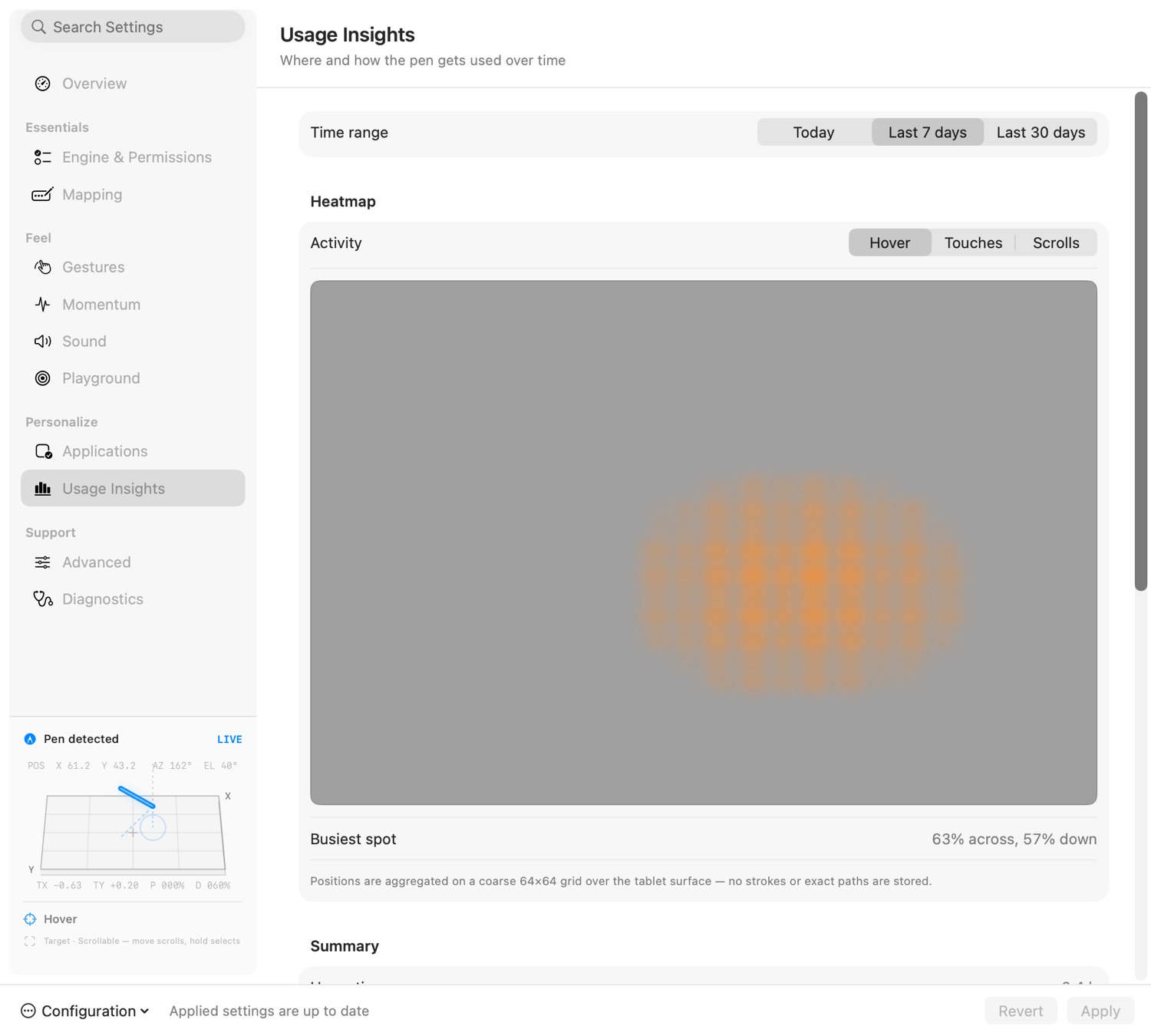
It also keeps anonymized usage insights: a coarse heatmap of where the pen spends its time on screen, plus dwell, preferred tilt, and click and scroll hotspots, over today, the last week, or the last month. It aggregates onto a grid; no strokes or exact paths are stored.
And it has optional sound feedback, fully synthesized with no audio files, for clicks, drags, and scrolling. Active scrolling and momentum coasting are driven by a detent model, so the ticks line up with the motion instead of drifting off it.
A diagnostics page, not a status light
Most vendor utilities give you one green dot and leave it there. Kinetip has a Diagnostics tab that shows the whole pipeline at once: whether the engine is running live, how many reports came in raw versus decoded versus ignored, the active tablet surface, and separate checks for the three permissions it actually needs: Input, Context and Posting. Under that it pins the boring facts that make a bug report useful: config file, schema version, build, macOS, connected displays, an on-demand latency snapshot, and a recent log. When the pen misbehaves I don’t have to guess. I open this page and see which stage went quiet, and if I need to ask for help, a screenshot of the page is the bug report.

Fast on the small chips
I did an optimization pass aimed at the base Apple Silicon machines (M1 through M4, non-Pro). One rule drove all of it: the realtime callback only ever gets lighter. It does normalization, gesture reduction, and posting with no allocations, no locks, and no accessibility or UI calls. Multicore is allowed to help, but only off that path. Telemetry, context probes, and scroll sampling all live on other queues and feed back read-only snapshots. A pen driver that adds latency so its numbers look better has missed the point.
About the “vibecoded” part
Kinetip was largely vibecoded: built quickly, in many iterations, with a lot of help from AI. I’m happy to say so. AI is what made it possible for one person to ship a native driver with over 800 tests across 99 suites, plus fuzzers that throw 100,000+ mutated inputs at the gesture reducer and the HID parser on every run. But how the code got written matters less to me than the fact that it fixes a physical problem I have every day. Whether it’s a good tool gets decided by my hand on the pen.
Where it landed
I use Kinetip every day, for hours at a time. The interruptions that used to break my focus are gone. It comes back after sleep, scrolling doesn’t die, the pointer doesn’t fight me near buttons, and momentum stops at the end of a page instead of grinding into it. Most of the time the pen just feels like part of the Mac.
When it doesn’t, I have a driver whose failures I can read in a log and fix myself. The driver that came in the box never gave me that, and it’s the main reason I’d build Kinetip again.
Want to try it?
I’m considering a commercial release. For now, if you’d like to test it, email me. Working with a Wacom pen all day is really comfortable. I know there aren’t many of us doing it, but I think a lot more people would, if they knew it was an option.